Filenames, values, comments, formatting, and file types stay encrypted.
Open source · SOPS + age · Git native
Secrets belong in Git. Plaintext doesn’t.
Encrypt complete files, review access like code, and give every human and agent exactly the credentials they need—without a hosted vault.
- No SaaS account
- No shared team key
- MIT licensed
~/acme-api● identity verified

$ git status --short
M .env.gitvaulty
$ npx gitvaulty run -f .env -- npm start
✓ access policy verified
✓ .env decrypted for child process
app ready on http://localhost:3000
✓ plaintext removed
Each person keeps one private identity. There is no shared team decryption key.
Signed groups and public recipients make access changes visible in Git.
A simpler security model
The repository is the control plane.
GitVaulty turns secrets management into an ordinary, reviewable development workflow— without asking your team to operate another service.
Store the whole file, safely.
SOPS and age protect every byte while Git preserves history, branching, and review.
Understand encrypted files →Grant people, not machines.
Groups express normal team access. Direct grants handle deliberate exceptions.
Review access control →Expose plaintext briefly.
Edit privately, stream exact bytes, or materialize only while a command runs.
Choose a workflow →Zero infrastructure
Install it. Keep your Git workflow.
Start inside an existing repository. The first command can prepare identities, the public registry, default group, SOPS rules, and agent instructions automatically.
Choose your entry pointv3 · Node 20+
HomebrewRecommended on macOS and available on Linux.
$ brew install divB0/tap/gitvaultynpmFor Node.js projects, Windows, and CI.
$ npm install --global gitvaultyA real encrypted-file walkthrough
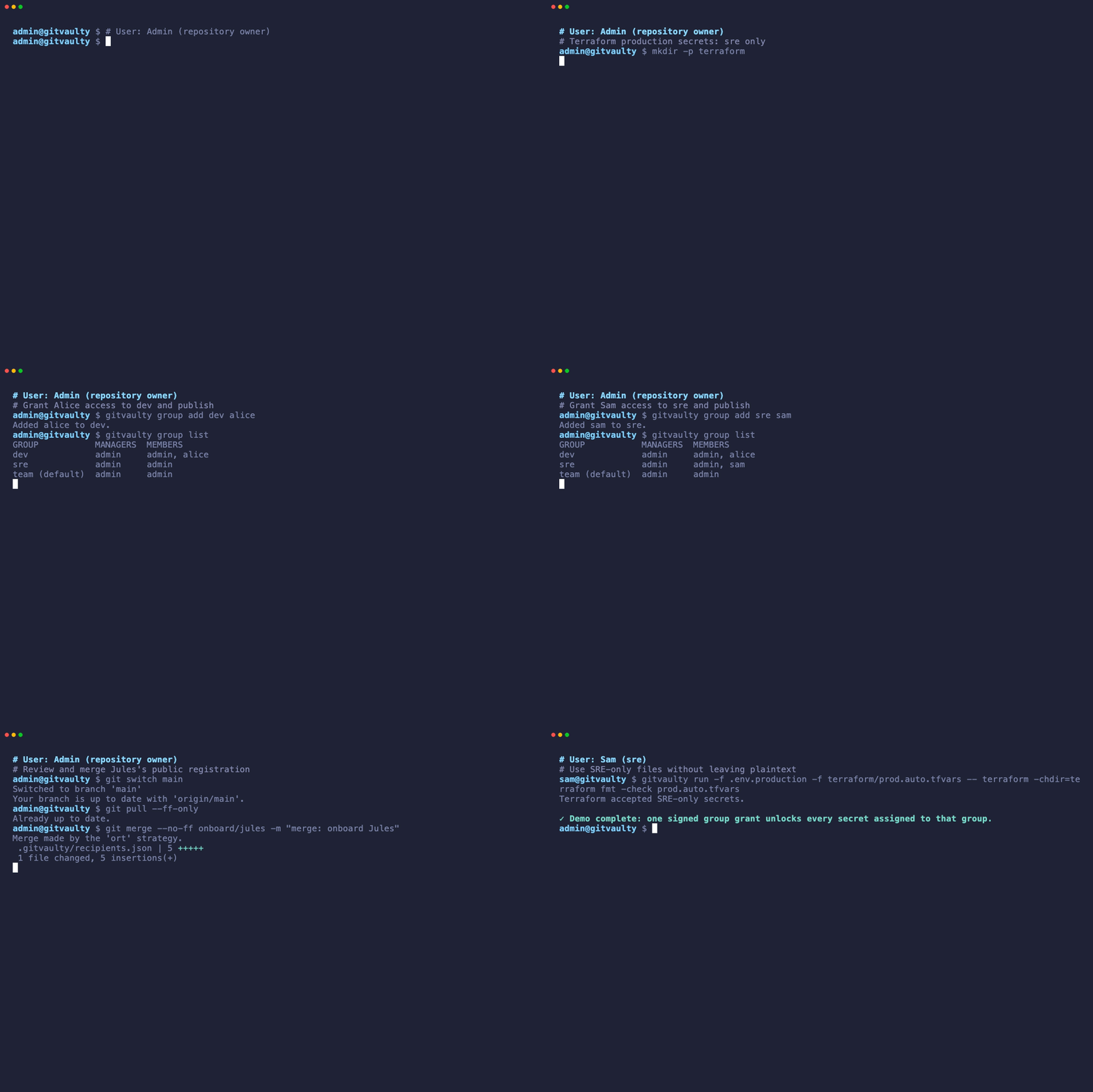
Access control you can see in the diff.
Follow a complete CLI session from first encrypted file to group-based access. The demo is generated from the same commands documented and tested in the repository.
Native where you work
Encrypted on disk. Normal in your editor.
Put secrets inside it.
Open source, local-first, and ready for humans and coding agents.